

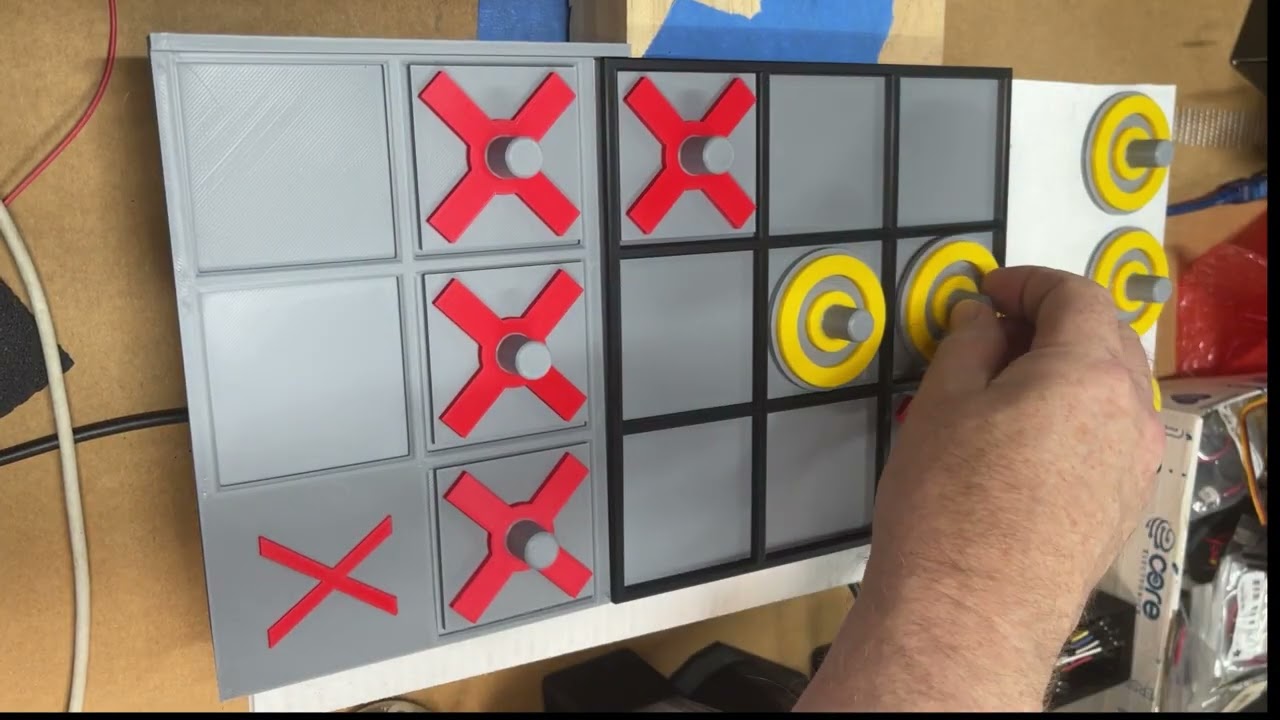
I’ve posted a short video of my robot arm playing tic-tac-toe, and it’s a good snapshot of where the project sits right now. It runs a little over three minutes and shows the arm playing crosses against a human. You can watch it here:
What the arm is doing now
The big step since my earlier posts is that the arm now picks up each of its pieces from a tray at the side of the board. For each move it collects its own piece from that tray, carries it over and places it in the chosen square.
The rest of the setup will be familiar if you have followed along:
- An Arduino UNO R4 runs the arm code and drives the servos.
- A web page served by the arm shows each move as the game progresses, and lets the human pick their move.
- Gemini handles the decision about where the arm moves next.
- Calibration options on the same web page let me fine-tune positions when the arm isn’t quite where it should be.
I covered the early groundwork in teaching the arm where the board is and the decision logic in playing a full game with minimax and Gemini. In the current project code, minimax works out the equally best moves and Gemini chooses among those. That keeps the move choice sensible. It doesn’t make the mechanics perfect, as the video shows.
The web page matters more than it might seem. It gives the human a simple way to choose their move, and it shows each move as the game goes along. When something goes wrong on the board, having the game state visible on a screen makes it much easier to tell whether the problem was the decision or the mechanics.
The missed pickup
If you watch closely, you’ll notice the arm misses picking up the last piece from the tray. That’s the honest state of a hobby build. The game logic can choose a perfectly good square and the arm can still come up empty if the gripper doesn’t close on the piece properly.
The fix is a minor adjustment so the gripper actually grabs the piece. This is exactly why the calibration options exist on the arm’s web page. Small changes to positions and gripper settings are what turn a mostly working arm into a reliable one.
Why the tray matters
Picking from a tray changes the arm’s job. Placing a piece on the board is only half the move. The arm also has to reach the piece, grip it securely, lift it clear and carry it across without dropping it. Each of those steps adds another place where a few millimetres or a few degrees matter.
That is also what makes it satisfying. When the arm collects its own piece and drops it into the right square, the whole loop feels much closer to playing a real opponent.
Code and next steps
The firmware, the companion camera project and the 3D models for the board and pieces are all in my tic-tac-toe project on GitHub. The immediate job is tuning that gripper so every pickup from the tray is clean. After that, it’s about running more games and seeing where else small calibration tweaks pay off.
If you are building something similar, my advice is simple: expect the logic to be the easy part. Getting a physical arm to grab a small piece the same way every time is where most of the real work hides.

