

I printed a Gridfinity 1x1x5 bin on the Snapmaker Artisan and it took:
2 hours and 8 minutes
This also included the time to print with a brim.
| Model | Hours | Minutes | Support |
| 1x1x2 | 2 | 19 | Raft |
| 1x1x3 | 2 | 24 | Raft |
| 1x1x5 | 2 | 08 | Brim |
I printed a Gridfinity 1x1x5 bin on the Snapmaker Artisan and it took:
2 hours and 8 minutes
This also included the time to print with a brim.
| Model | Hours | Minutes | Support |
| 1x1x2 | 2 | 19 | Raft |
| 1x1x3 | 2 | 24 | Raft |
| 1x1x5 | 2 | 08 | Brim |
I printed a Gridfinity 1x1x2 bin on the Snapmaker Artisan and it took:
2 hours and 19 minutes
This also included the time to print with a raft. Interesting, this is not much longer that the time it took for a 1x1x3 bin with a raft.
| Model | Hours | Minutes | Support |
| 1x1x2 | 2 | 19 | Raft |
| 1x1x3 | 2 | 24 | Raft |

I printed a Gridfinity 1x1x3 bin as shown above on the Snapmaker Artisan and it took:
2 hours and 24 minutes
This also included the time to print with a raft.
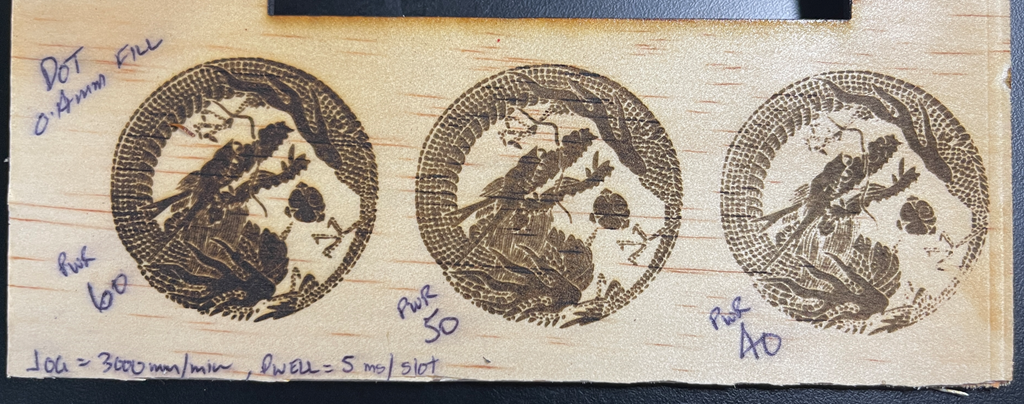
After etching the above images onto 3mm plywood, they have now been varnished. Prior to applying varnish they looked like:
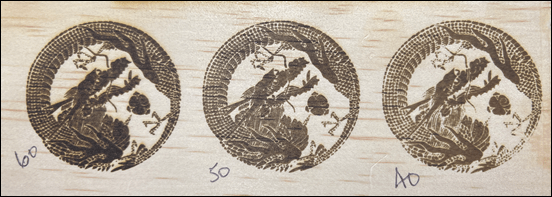
Perhaps the varnish has now made then etchings a little darker but it has sealed in the carbon from the etching, prevent smudging which is a good thing.

I used the above varnish:
Timber Protect Quick Dry Clear Gloss 300g
which is available from Bunnings.
I also varnished the rear side of the plywood with the aim of repeating the laser etching process with the same image but this time on a ‘pre-varnished’ surface to see what the results will be.

The above is a etching onto 3mm plywood using the SnapMaker Artisan and the 10W laser. The laser power settings are listed in the bottom left of each i.e. 60%, 50% and 40%.
I think the 50% power setting provides the best output but 60% ain’t bad either. 40% however misses a few spots so isn’t adequate.
The next step is to put some varnish on the result and see what happens.

