

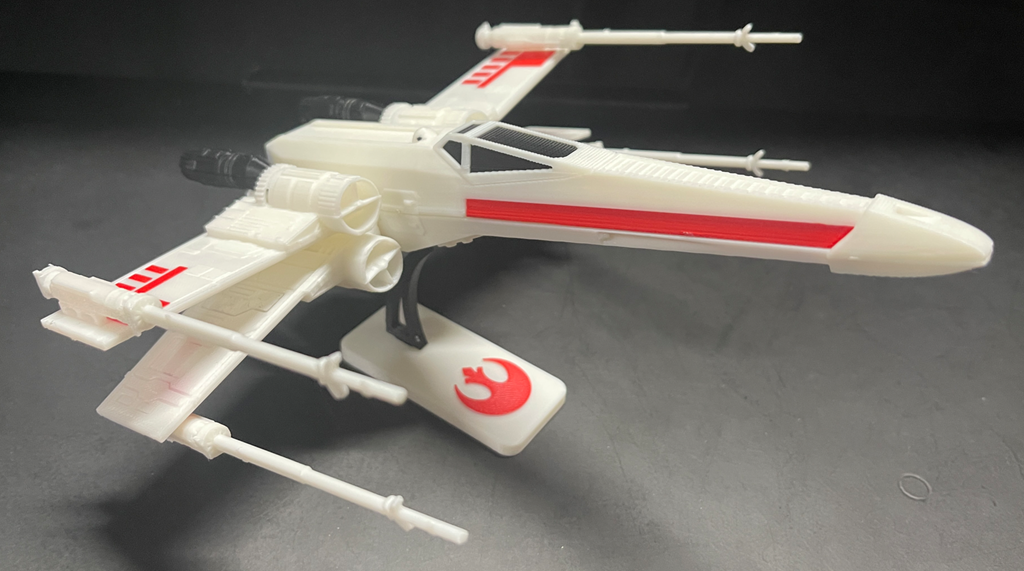
After getting my new Snapmaker U1 and printing my first item I was looking for another project to print and found this:
https://galacticarmory.net/collections/3d-files/products/x-wing-vehicle-kit-card-3d-print-files
a cool Star Wars X-Wing fighter. You can see the result above.
The model was great but when I pulled it into the Snapmaker Orca slicer it wasn’t set up with the right colours. This meant that my first attempt was all in white. Once I had worked out the colour mapping I ended up with the desired result but I am still not happy with the process and need to spend more time with the Snapmaker Orca slicer to understand how it work and to make remapping colours easier.
However, I am super happy with the result and am now looking for my next project.
 CIAOPS Labs