

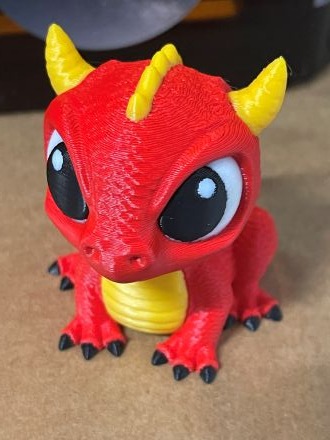
My new Snapmaker U1 recently arrived. This allows multi colour printing of up to 4 different colours at once. You can see the test figure i was able to make.
The printer is high quality and easy to assemble.
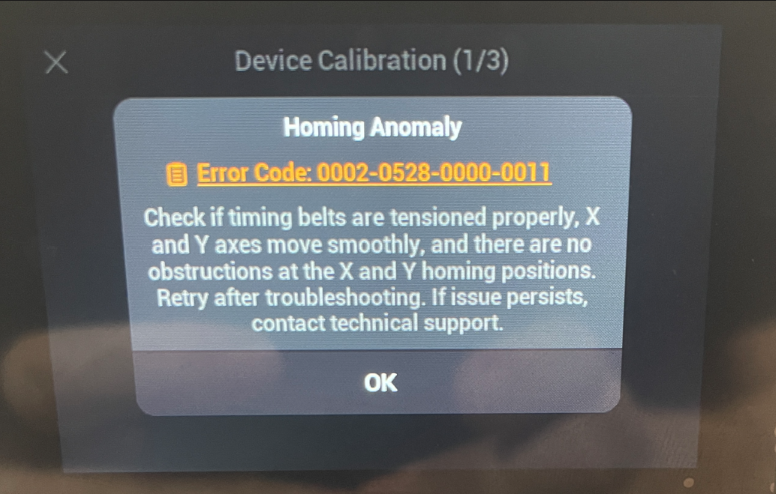
Device Calibration (1/3)
Homing Anomaly
Error Code: 0002-0528-0000-0011
Check if timing belts are tensioned properly, X
and Y axes move smoothly, and there are no
obstructions at the X and Y homing positions.
Retry after troubleshooting. If issue persists,
contact technical support.
I did get the above error when initially setting it up but the following help article:
https://wiki.snapmaker.com/en/snapmaker_u1/troubleshooting/U1_homing_failure
helped. I basically loosened the print head, moved it through its range or travels a few times, tightened teh screws back up a little less tightly and it all worked.
There are plenty of review out there on YouTube if you want to go and take a look but so far everything I have printed has worked flawlessly and I am very happy. Given that the printer has an open top, where an eventual cover that I have also bought, it is louder than I expected. The cover should solve the problem when it arrive but it is nothing I can’t deal with in the mean time.
So far so good then with the U1 and I’ll report back my progress as I grow mor familiar.
 CIAOPS Labs