


After being able to control the Acebott ESP32 Smart car via a web server my next aim was to control it using am Xbox/Playstation style joystick controller.
Initially I thought hat I could use an older Xbox style controller. Turns out these use 2.4Ghz wireless and a proprietary connection. Then I thought I could use a newer style Xbox controller that is Bluetooth, but it turns out they use Bluetooth 5 and use proprietary encryption. I did see a few of these working on the Internet but for the life of me I couldn’t get it to work.
I therefore asked AI which controller would be the easiest to get working and was told to get:
This launched me into a world a hurt and failure (thanks AI). In short, this 8BitDo controller appears to also only be Bluetooth 5 and the Acebott ESP32 only supported Bluetooth 4.2 LE (Low Energy).
Making the same mistake twice (what’s the definition of stupidity again?) I asked AI to recommend a different ESP32 board that would work with the 8BitDo and was told that a “ESP32-C3 DevKit” would be the most reliable. I then went and bought an ESP32-C3 Mini Development Board. Even after being ‘100% sure’ that it would work, the AI could not make it work either.
I then came across the ACEBOTT Bluetooth Controller Expansion for QD001, which is designed for the Acebott Smart Car.
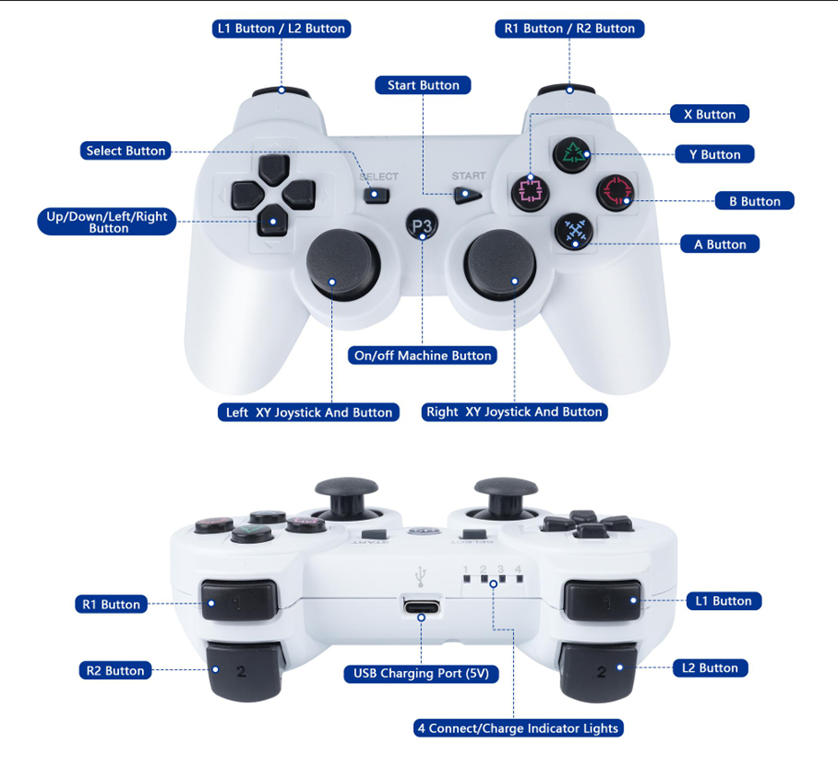
With this I finally could get the controller talking to the ESP32 on the Smart Car. However, to pair the controller and the ESP32 I needed to specific the MAC address of the controller, which is conveniently on the bottom of the controller. But to get the ESP32 to pair back to the controller I needed to embed the MAC address of the ESP32 Bluetooth connection into the controller. To do this it recommended using a Sixasix Pair tool. For the life of me, I couldn’t get this to work but with my Controller at least paired to the ESP32 I could send commands which is all I really wanted.
I got AI to rewrite the code to allow the PS3 style controller to control the movement of the SmartCar. I have uploaded the code here:
https://github.com/directorcia/Azure/blob/master/Iot/Acebott/Smartcar/QD010/car-ps3.cpp
I also needed to add some speed trimming of the motors because the car was veering off in one direction. The documentation for the above code is here:
https://github.com/directorcia/Azure/blob/master/Iot/Acebott/Smartcar/QD010/car-ps3-overview.md
This whole process proved much harder that I expected and getting a Bluetooth working initially as extremely frustrating given teh different versions and controllers, but now the ‘generic’ PS3 style controller works well!
 CIAOPS Labs