

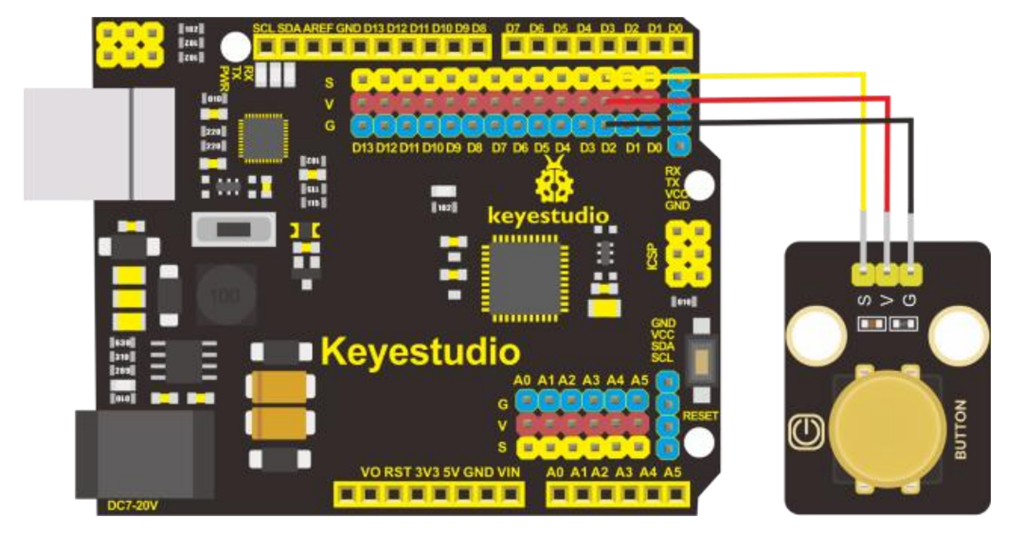
The next project with the Keyestudio KS0172 board is to connect a button as shown above and observe the effect in the terminal window. The code for this is here:
https://github.com/directorcia/Azure/blob/master/Iot/Keyestudio%20KS0172/Lesson_3.1/main.cpp
Next, is to have the button control the LED like so:
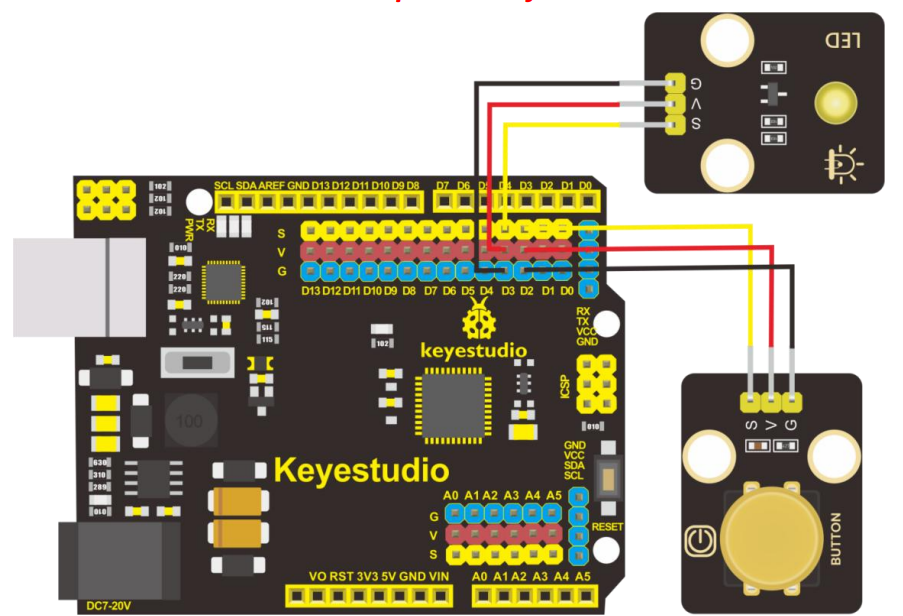
and the code for this is here:
https://github.com/directorcia/Azure/blob/master/Iot/Keyestudio%20KS0172/Lesson_3.2/main.cpp
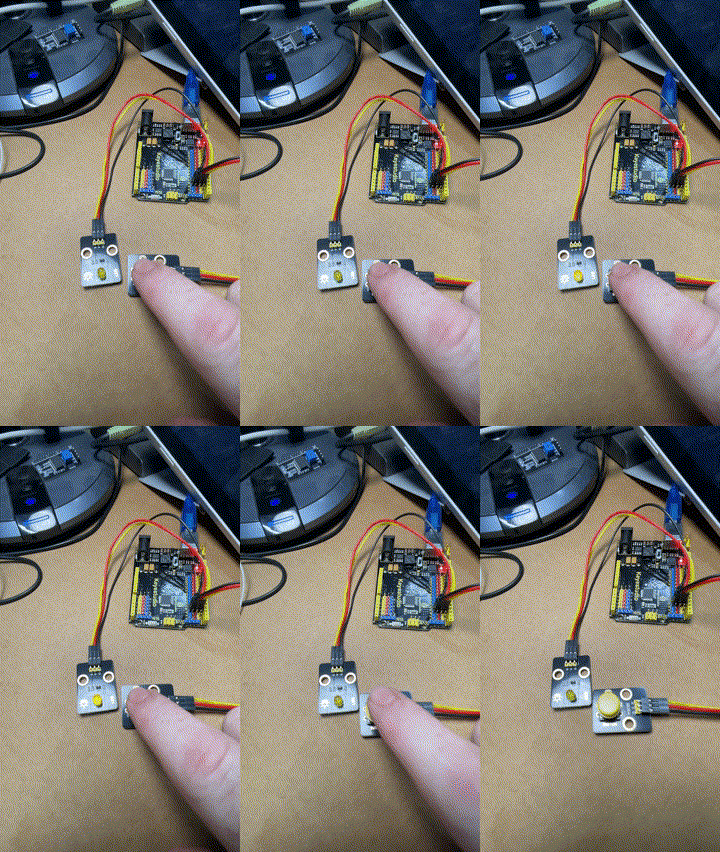
and the result looks like:
The next two projects use a buzzer to make sound like so:

the code for these two lessons is here:
https://github.com/directorcia/Azure/blob/master/Iot/Keyestudio%20KS0172/Lesson_4.1/main.cpp
and here
https://github.com/directorcia/Azure/blob/master/Iot/Keyestudio%20KS0172/Lesson_4.2/main.cpp
My own attempt with the help of AI is here:
https://github.com/directorcia/Azure/blob/master/Iot/Keyestudio%20KS0172/Lesson_4.3/main.cpp
although it doesn’t really sounds like ‘Smoke on the water” to me, but that is clearly a limit of the equipment not the programmer (ha)!.
 CIAOPS Labs