Arduino Uno R4 Wifi Matrix display

20250518_051525895_iOS

The next controller I’m going to play with is the Arduino Uno R4 Wifi. I really like the ease and compatibility of the Arduinos I have used so far but the lack of WiFi I know will be a major limitation. So it make sense to explore a Wifi Uno.

One of the additional ‘nice’ features of the Arduino Uno R4 Wifi is that it has a LED matrix included on the board. Thus, the starting point is to try and get something to display on there.

First I tried displaying a simple emjoi. The code for this is here:

https://github.com/directorcia/Azure/blob/master/Iot/Arduino%20Uno%20R4%20Wifi/Emoji%20Display/main.cpp

and there are range of emojis to display.

I then uploaded the demo code here:

https://github.com/directorcia/Azure/blob/master/Iot/Arduino%20Uno%20R4%20Wifi/Text%20Display/main.cpp

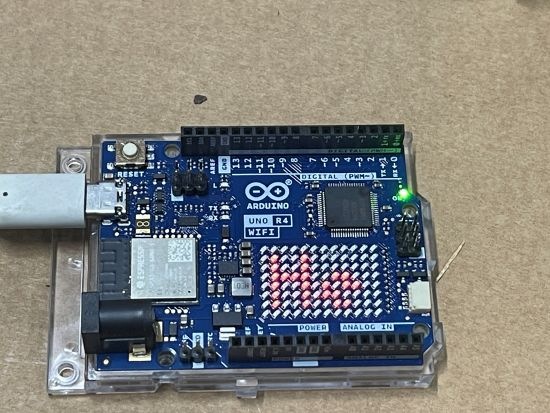
to display Hello World on the matrix, which all worked as expected as shown on the image above.

The next step after getting something to display on the matrix will be to get the Wifi working.
 

Garage distance sensor V2

image

My initial prototype started back here:

and is now at the point where I am designing version 2.

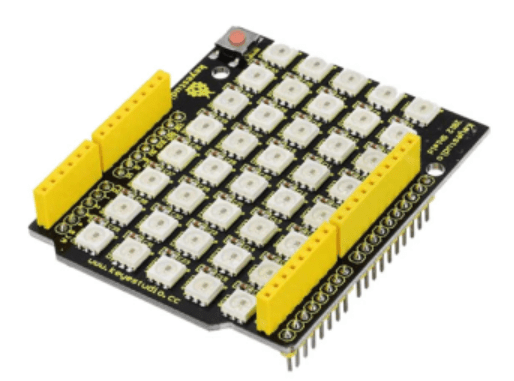
The biggest change for  version 2 will be the replacement of the 5 individual LEDs and the board they live on with a Keyestudio 40 RGB LED WS2812 Pixel Matrix Shield for Arduino:

The main reasons for this are:

– less soldering is required

– the LEDs are brighter

– there will be a 5 x 8 matrix of LEDS allowing more options

– the shield plugs directly into the controller board

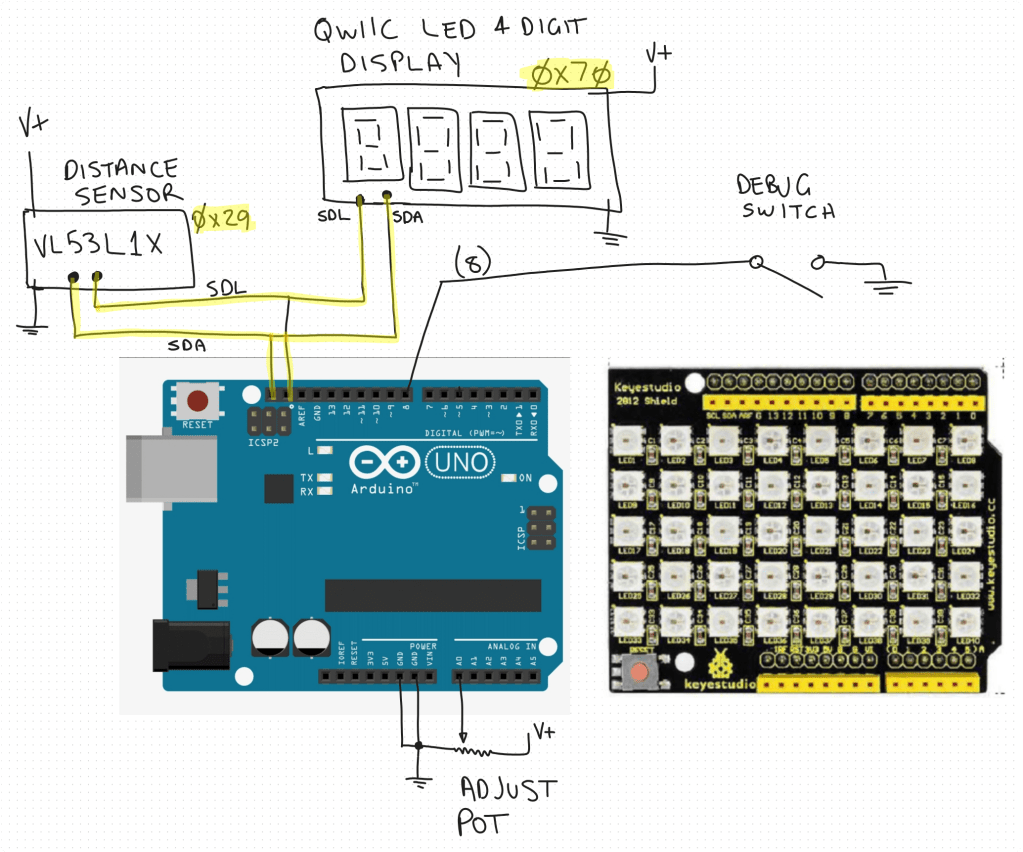
So the circuit diagram will now look like:

The code will, at least initially remain functionally the same but may get enhanced once I have it working.

I have ordered an additional distance sensor and QWIIC LED 4 Digit display but the LED shield is ready to go as you can see in this video:

Video link = https://www.youtube.com/watch?v=49V33TKXt3c

The test code shown in video is here:

https://github.com/directorcia/Azure/blob/master/Iot/Arduino%20Uno%20R3/Garage%20distance/pixel-matrix-test.cpp

I think this LED shield will be a big improvement for the project, so stay tuned for more updates soon.

Robot Arm with Multi Motor Movement

I’ve improved the movement of my robot arm by implementing multi motor movement. This means moving large distances will be more efficient since the arm can take a more direct route. You can see this in the video I created above. You’ll find my code for this routine here:

https://github.com/directorcia/Azure/blob/master/Iot/Arduino%20Uno%20R3/Robot%20Arm/routine2.cpp

This has lead me to go down the rabbit hole of kinematics.

Kinematics is the science of motion without considering forces. For robot arms, it answers questions like:

  • Where should each joint move to place the end-effector at a specific position?

  • What angle should each servo rotate to reach a target point?

There are two primary types:

  • Forward Kinematics – You provide joint angles, and it calculates the end-effector’s position.

  • Inverse Kinematics (IK) – You provide a desired end-effector position, and it calculates the joint angles needed to get there.

I’m going to try and implement kinematics for my arm going forward, so stay tuned for updates.