

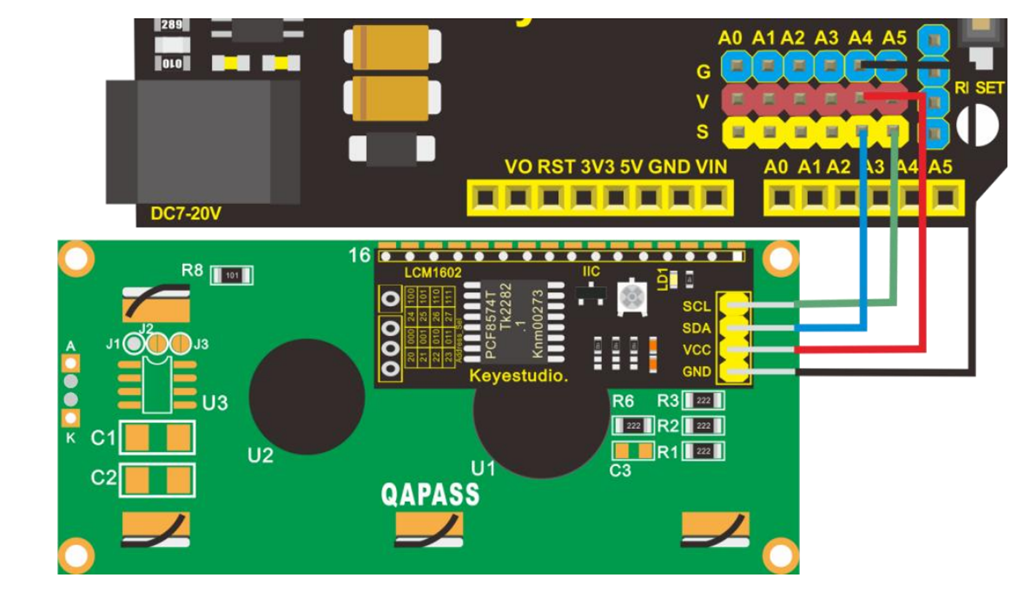
Next on the list of projects with the Keyestudio KS0172 board is connecting an LCD display as shown above.
The code for this is here:
https://github.com/directorcia/Azure/blob/master/Iot/Keyestudio%20KS0172/Lesson_5/main.cpp
and the only trick was to add the LiquidCrystal_I2C library, which was easy enough to do in Platformio.

and the result is shown above.
Next was to configure a light sensor. The code for that is here:
https://github.com/directorcia/Azure/blob/master/Iot/Keyestudio%20KS0172/Lesson_6/main.cpp
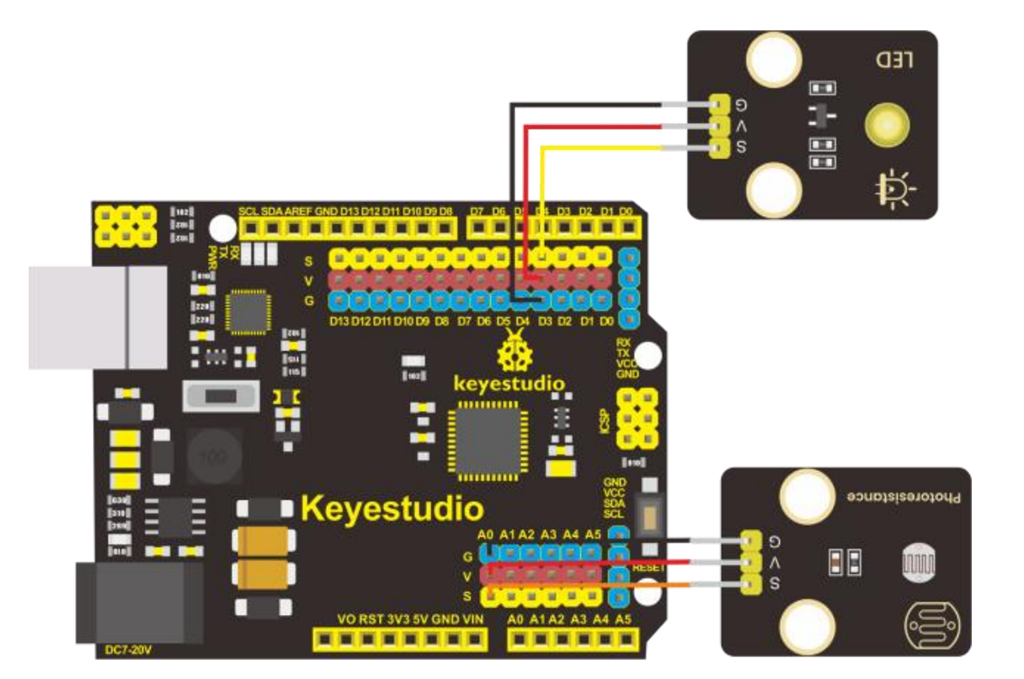
During this process the LED on the add on board failed! Strange. I checked the port, the voltage and whole lot of other stuff, but as far as I can tell the LED itself failed! I therefore used the buzzer as substitute until I decided to ‘bodgy’ another LED I had laying around as a temporary substitute. Why? Well, this LED board is pretty handy for troubleshooting I’ve found.
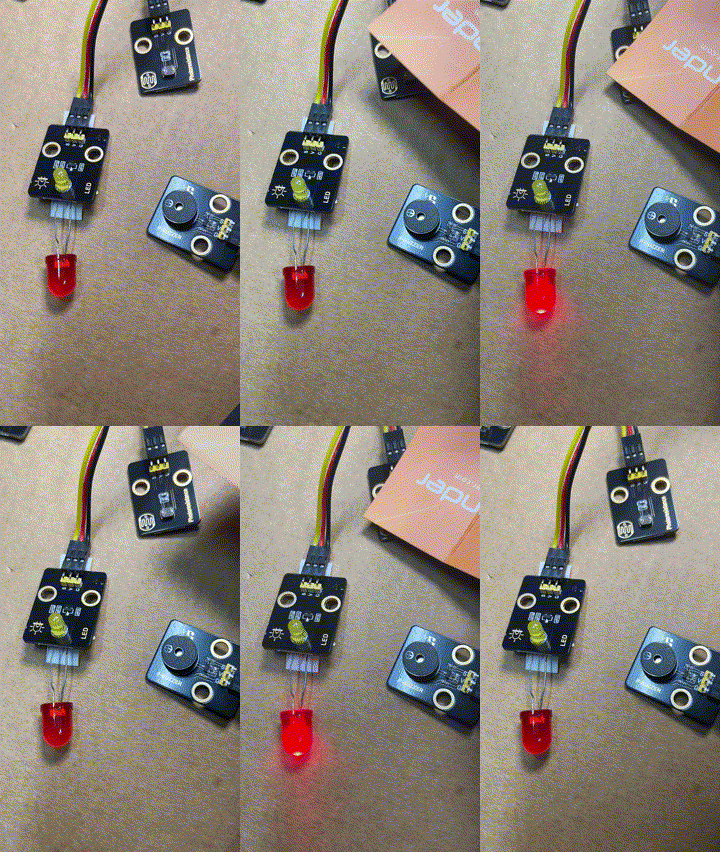
The result is as shown above, both sound and light when the light sensor falls below a certain level.
I can’t find a replacement for the LED board on its own. Seems it only comes with full kits. I’ll need to look at buying a similar LED at some stage and maybe swapping the faulty on out on the board. It will be rather fiddly but worth the effort going forward I reckon.
 CIAOPS Labs
One thought on “Keyestudio KS0172 – LCD display”