


I’ve decided to upgrade the remote controller for the robot. Adafuit.io has the above component you can add to your dashboard. This provides a lot more commands than the original
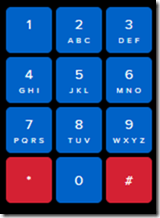
one that I have been using as can be seen above.
My plan now is to add a pan and tilt camera to the robot so it can ‘see’. I’m also working on creating some additional parts for the robot to hold the 6V batter case as well as make the front platform more accessible. I’ll basically place it above the 6V battery which will sit over the front wheels.
I am also working on a way to better secure the bread board onto the robot rather than using a bulldog clip. It is all getting rather crowded up there, so creating some more space will be good.
It seems like the camera interfaces to the ESP32S2 Wroom using a set of SPI connectors which are:
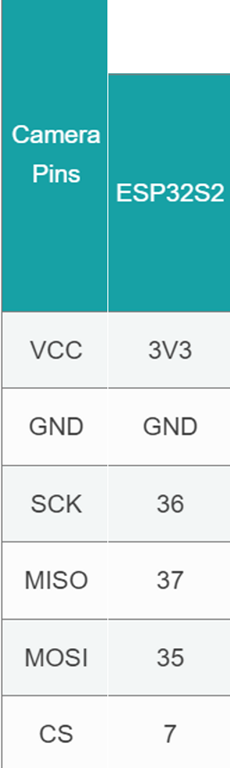
which I found here:
https://docs.arducam.com/Arduino-SPI-camera/MEGA-SPI/MEGA-Quick-Start-Guide/
most of which I can see on the board:

The one that is missing is CS = 7. I found this after some hunting:
pin 7 on the ESP32-S2 Thing Plus WROOM is the IO4 pin
I am not sure whether it os true but I’ll try:

GPIO04 on the other side of the chip as shown above as the pin for CS.
I bought this camera:
https://core-electronics.com.au/arducam-mega-3mp-camera.html
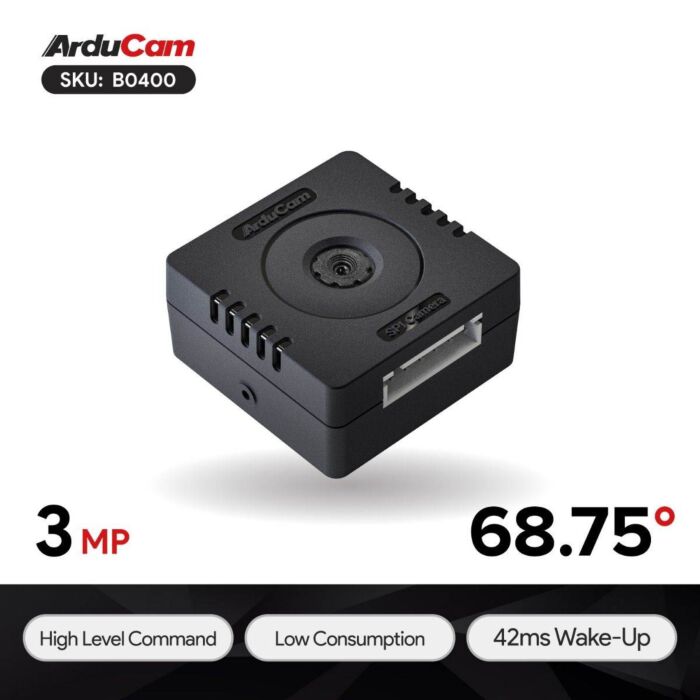
which has pinouts:

Once I get it all connected then I need to write to code to capture images. There are lots of examples of doing that with an app on your desktop but I want the camera to capture an image and send it up to adafuit.io which it seems I can do. No sure of exactly how just yet, but first step is getting the camera hooked up and being able to view the images it captures.
 CIAOPS Labs