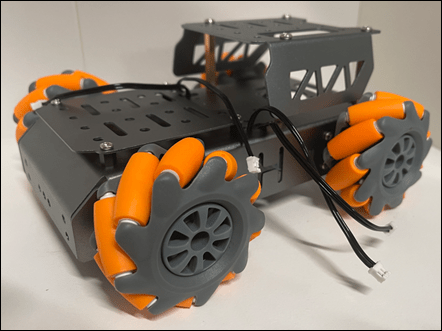
I’ve invested in a new chassis for my robot creations. This is the one I opted for:
Mecanum Wheel Chassis Car Kit with TT Motor, Aluminum Alloy Frame, Smart Car Kit for DIY Education Robot Car Kit
from Amazon. It is great quality, strong and well made. Has lots of connection options and the right size for what I want. It is also robust enough to survive the inevitable ‘incidents’ it will no doubt have along the way. In short, I think it is great value for money and very professionally made.
As you can see from the above picture, I have managed to put it together, even though it didn’t come with assembly instructions. Those I found here:
https://www.hiwonder.com/products/mecanum-wheel-chassis-car
and specifically on this YouTube video – https://youtu.be/WMQ-PyM-PNE
The motor connections are JST 2-pin female connectors so I have also ordered these:
JST PH 2-Pin Cable – Male Header 200mm
to allow easy connection to the motor driver I’ve already played with here:
https://blog.ciaops.com/2023/07/12/iot-motors/
Once I get all that I can start putting together the controllers and then start writing the code to make it actually move about.
Stay tuned.



 CIAOPS Labs